
RAG Explained Simply: How AI Gives Accurate Answers Using Your Data
March 9, 2026
You've probably tried asking ChatGPT a question about your company and gotten a confident but completely wrong answer. That's because general-purpose AI models don't know anything about your business — they're trained on public internet data, not your internal docs.
RAG (Retrieval-Augmented Generation) is the technique that fixes this. It's the core technology behind tools like Mailflow that give AI accurate, company-specific answers.
Let's break it down.
The Problem: AI Without Context
Large language models (LLMs) like GPT-4 are trained on billions of web pages. They're great at understanding language and generating human-sounding text. But they have two big limitations:
-
They don't know your business. Ask GPT-4 about your return policy, product specs, or internal processes, and it will either make something up or admit it doesn't know.
-
They can hallucinate. When an LLM doesn't have the right information, it may generate a plausible-sounding but factually wrong answer. In a customer support context, that's a real problem.
The Solution: Retrieve First, Then Generate
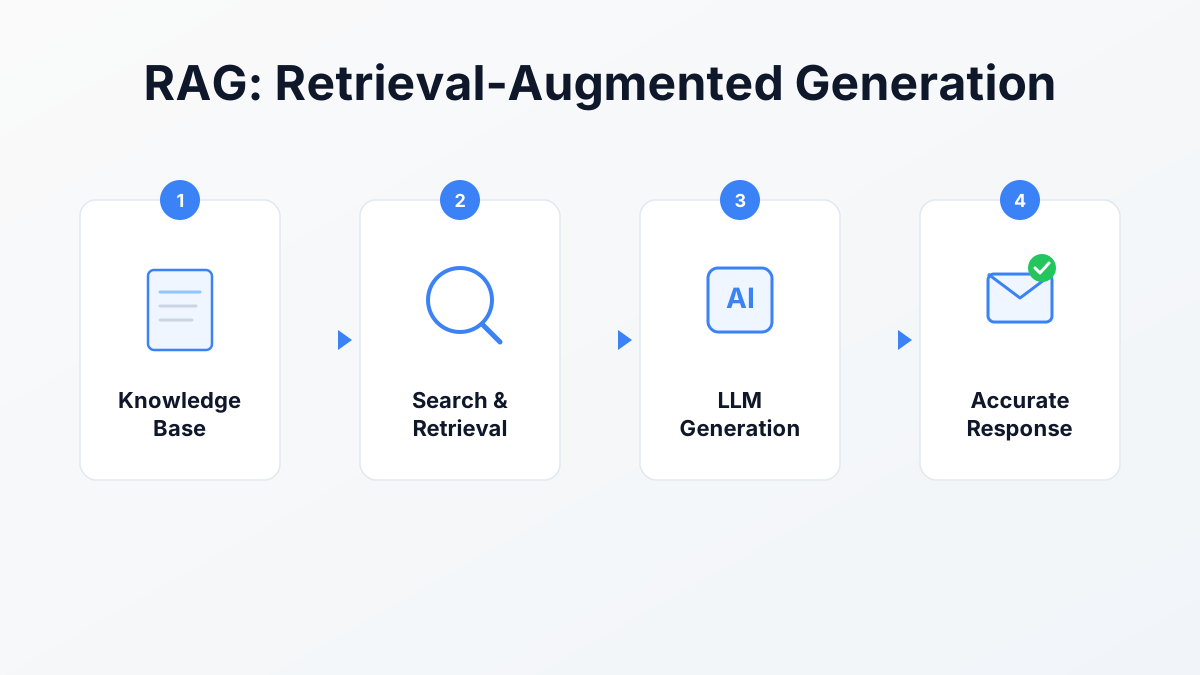
RAG solves this with a simple two-step approach:
Step 1: Retrieve
Before generating a response, the system searches your knowledge base for relevant information. This knowledge base can include:
- PDF documents and manuals
- Pages crawled from your website (sitemap-driven)
- Q&A pairs you've written
The search uses a technique called vector similarity — it converts both the question and your documents into mathematical representations (vectors) and finds the closest matches. This is smarter than keyword search because it understands meaning, not just exact words.
For example, if a customer asks "Can I return my order?" the system will find your return policy document even if it never uses the word "return" and instead says "exchange" or "refund."
Step 2: Generate
Once the relevant context is retrieved, it gets passed to the LLM along with the original question. The prompt looks something like:
Using the following context from the company's knowledge base, draft a reply to this customer email. Only use information from the provided context.
The LLM now has the right information to work with. Instead of guessing, it synthesizes an answer from your actual data.
Why RAG Beats Fine-Tuning
You might wonder: why not just train the AI model on your data? This approach is called fine-tuning, and while it has its uses, RAG is better for most business applications:
| RAG | Fine-Tuning | |
|---|---|---|
| Setup time | Minutes (upload docs) | Hours to days |
| Cost | Low (uses existing models) | High (training compute) |
| Updates | Instant (add/remove docs) | Requires retraining |
| Accuracy | High (cites sources) | Variable (may still hallucinate) |
| Data privacy | Your data stays in your search index | Your data becomes part of the model |
With RAG, you can update your knowledge base at any time — add a new product page, update your pricing, fix an FAQ — and the AI immediately uses the new information. No retraining needed.
How Mailflow Uses RAG
Here's how Mailflow applies RAG to email drafting:
1. You Build Your Knowledge Base
When you set up Mailflow, you add your company knowledge:
- Upload files — PDFs, Word docs, spreadsheets
- Crawl your website — Mailflow reads your site pages and indexes them automatically
- Add Q&A pairs — Write specific question-and-answer pairs for common inquiries
All of this gets converted into vectors and stored in your private knowledge index.
2. An Email Arrives
When a customer sends you an email, Mailflow:
- Reads the email content
- Searches your knowledge base for relevant context
- Passes the email + retrieved context to the LLM
- Creates a draft reply in your Gmail inbox
3. You Review and Send
The draft appears in Gmail like any other draft. You can edit it, approve it, or discard it. You're always in control.
The key difference from generic AI: the draft is grounded in your actual data. If a customer asks about your warranty, the reply will reference your real warranty policy, not a made-up one.
The Quality Depends on Your Knowledge Base
RAG is only as good as the data you give it. Here are some tips for getting better results:
Do:
- Upload your most-asked questions and their ideal answers
- Include product documentation and pricing pages
- Add your website's FAQ section
- Keep your knowledge base updated when things change
Don't:
- Upload irrelevant or outdated documents
- Expect perfect results without any knowledge base content
- Include contradictory information (the AI won't know which version is correct)
A well-maintained knowledge base with 20-50 high-quality Q&A pairs will outperform a messy collection of hundreds of documents.
Common Questions About RAG
Is my data used to train AI models? No. With Mailflow, your knowledge base is only used for retrieval — it's searched when generating responses but never used to train or fine-tune the underlying AI model. Your data stays private.
How fast is it? The full RAG pipeline (search + generation) typically takes 2-5 seconds. Since Mailflow creates drafts asynchronously, you don't experience any delay — drafts are ready when you open Gmail.
Can RAG still produce wrong answers? Rarely, but yes. If your knowledge base doesn't contain the relevant information, the AI may fall back to general knowledge or indicate it can't find a specific answer. This is why maintaining your knowledge base is important.
Does it work in languages other than English? Yes. Modern LLMs and vector search handle multilingual content well. If your knowledge base contains French documents and a customer writes in French, the system will retrieve and respond in French.
The Bottom Line
RAG is what makes the difference between an AI that sounds smart but gets things wrong and an AI that actually knows your business. It combines the language skills of large AI models with the accuracy of your own data.
If you're spending hours writing the same email responses, an RAG-powered tool can draft those replies using your real knowledge base — no training, no complicated setup.
Want to see RAG in action? Try Mailflow free and upload a few documents. Within minutes, you'll have AI drafting email replies grounded in your actual company data.